
作者: wild 時間: 2016-11-15 17:59 標題: PC變做Miracast功能無線接收器
本帖最後由 wild 於 2016-11-18 10:35 編輯
自W8開始, PC就可以經Miracast將個聲畫無線傳去TV之類的Display.
要接收Miracast既Display, 就插個外置或已經內置了Miracast Dongle做接收.
MS就有出個Microsoft Wireless Display Adapter(新版係v2), Google就有Chromecast之類.
而W10 PC個Miracast接收功能, 除了無需Miracast Dongle, 可傳送聲畫以外, 還有一些係使用上很方便既特異功能, 遲D會講到!
由於Windows 10 PC無需Dongle就可以接收Miracast, 所以會先講下點樣做接收設定!
跟住會分開幾個posts來講下:
-手機經miracast連接部PC,
-PC經miracast連接另一部PC,
-PC經miracast發射去插了miracast dongle的顯示器!
PC系統要求:
-無需Miracast Dongle
-已經升上周年更新的Windows 10 Desktop PC,
-要具備wifi 2.4GHz功能
首先要開左PC個Wifi功能, 即係啟動個Wifi Adapter, 之後再開啟埋Wifi個功能!!
根據MS講解關於Miracast既操作: How Miracast Communicates Over Wifi Networks
Miracast必須個wifi要預留2.4GHz 802.11 channels 1, 6 或11其中之一. 如果以上2.4GHz 802.11既1, 6和11 channels都同時被佔用的話, 就無法使用Miracast.
我測試部PC pc9394係用外插USB wifi 手指, 用既係Realtek RTL8812AU Controller.
隻USB Wifi 手指係預先已經接駁上個Wireless Router!
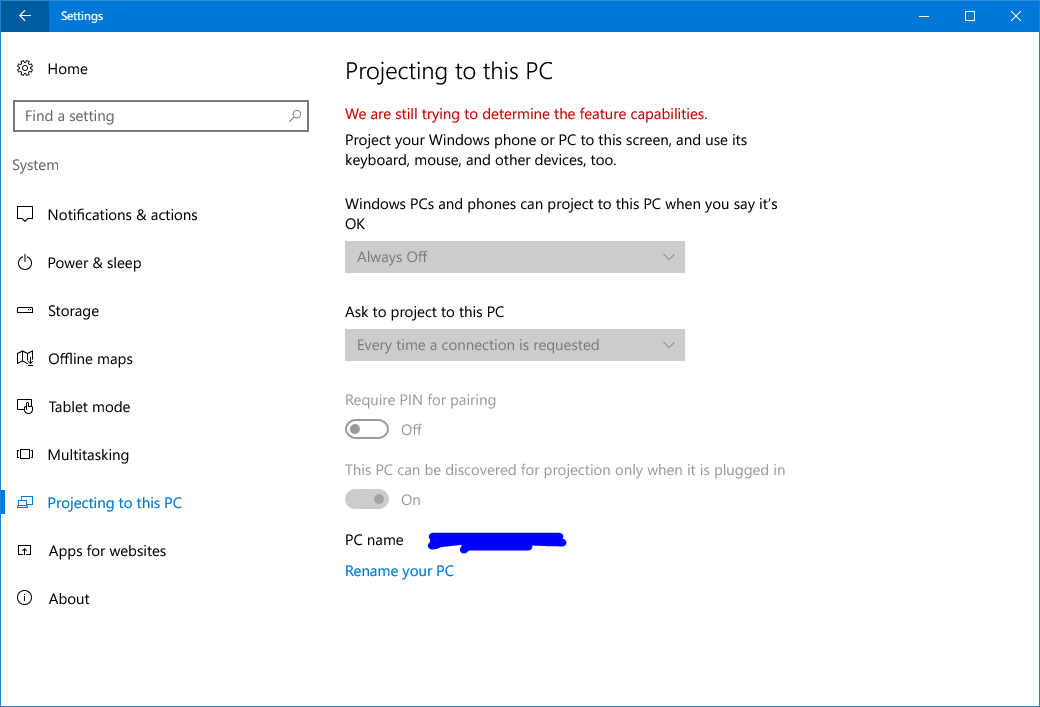
按[WIN]+I 進入設定 > 系統 , 之後選<正在投影到此電腦>
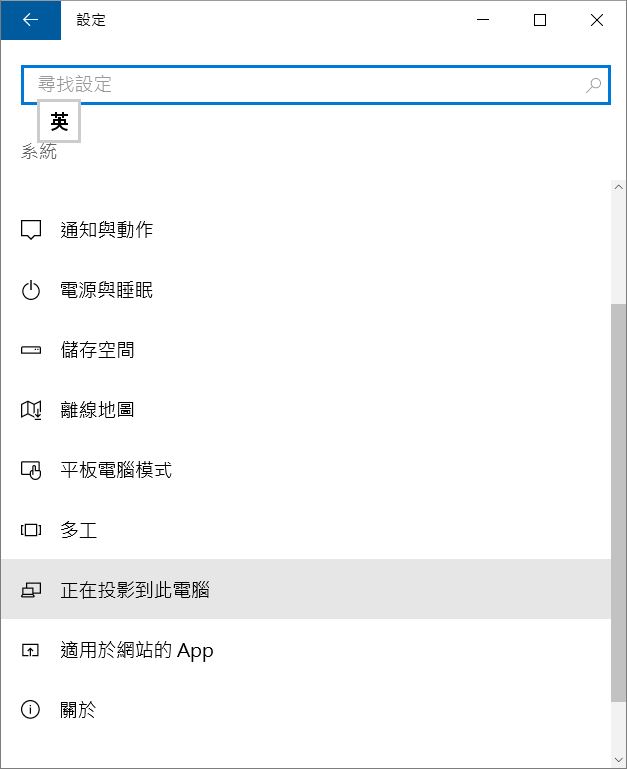
部PC會賞試偵測系統是否可以變做Miracast功能接收器
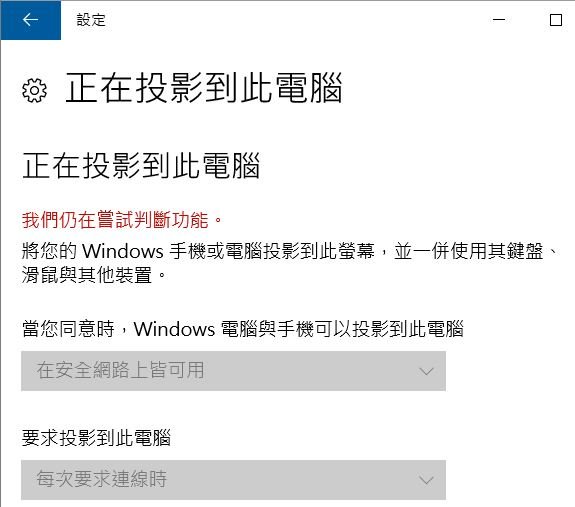
如果出現以下畫面, 多數係個wifi仲未啟動.
要先啟動個Wifi Adapter, 之後要開啟Wifi個功能, 可以的話, 最好係部PC個wifi先駁住個wireless router!
***如果唔work, 試下登出再登入, 都係唔work, 就試下restart部PC!

如果係同一個network, 就揀安全網路上可用.
如果唔係係同一個network, 就揀任何地方都能用.
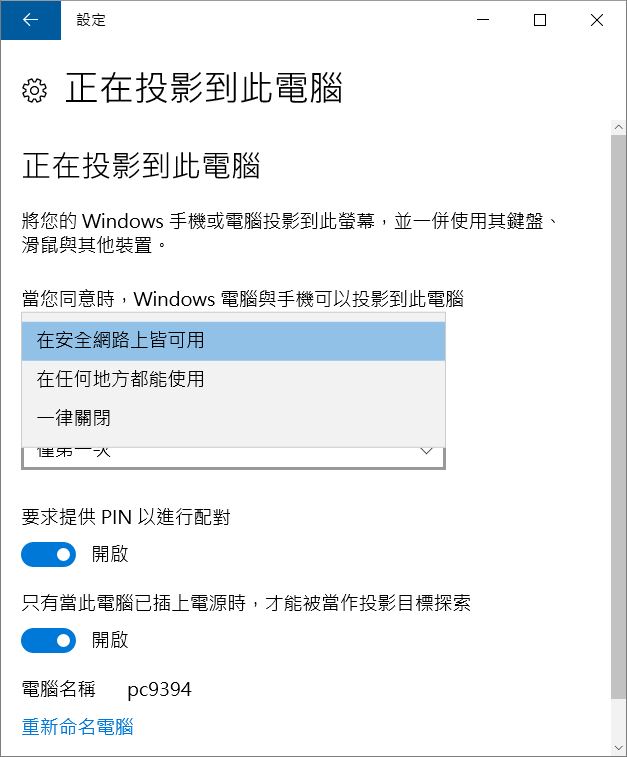
選好後, 可能要等一兩分鍾.
就應該會見到網路連線多左個Local Area Connection(唔係Local Area Network).
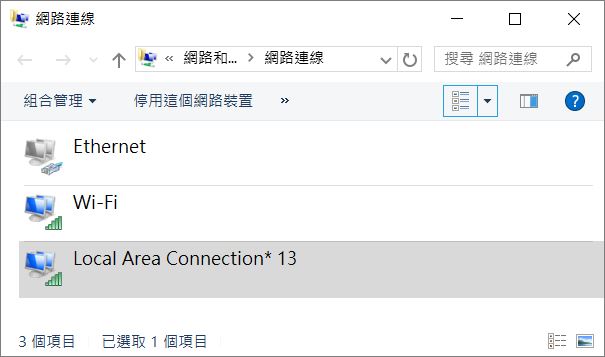
網路裝置也會多了個Microsoft Wifi Direct Virtual Adapter.
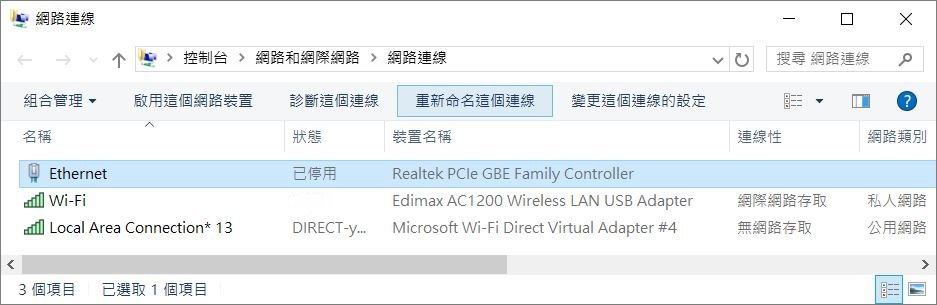
這個時候, 部PC就已經可以發射(W8或以上)或接收(W10 周年更新後)Miracast!
係Task Manager, Performance之下會多了一個收發Miracast既Wifi!
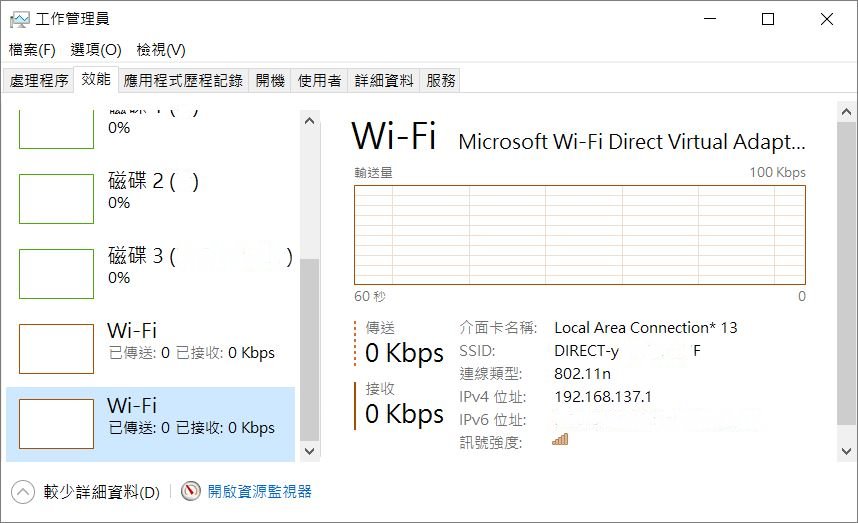
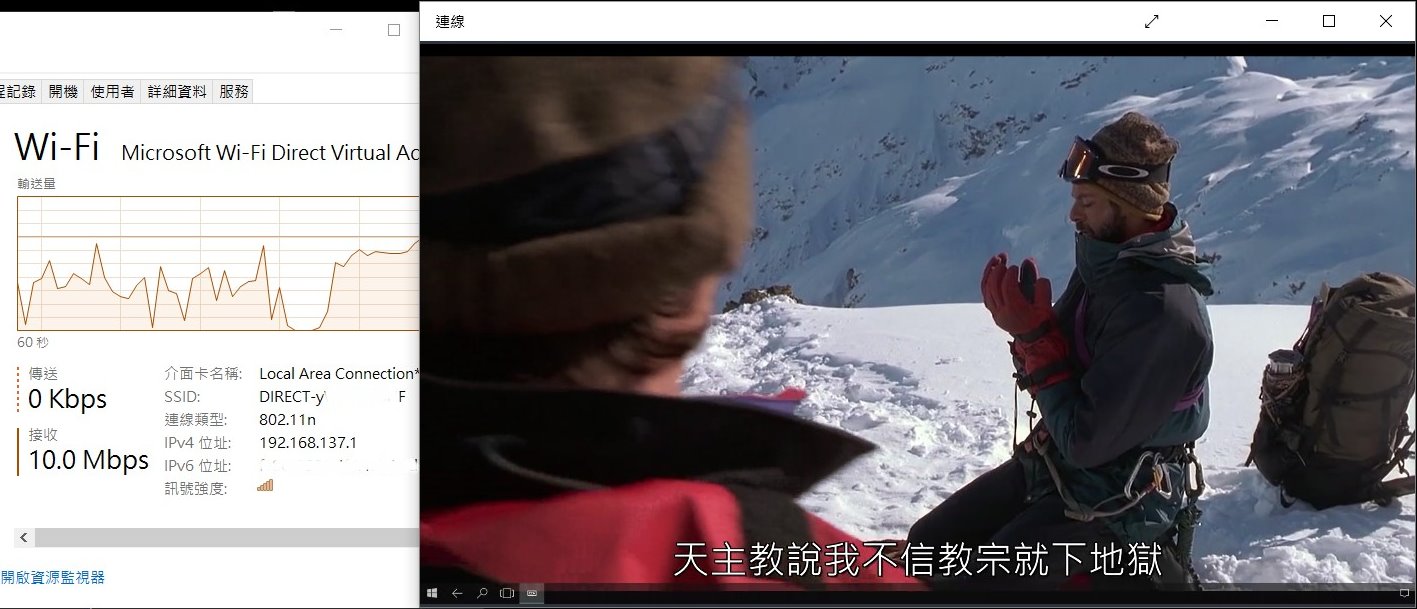
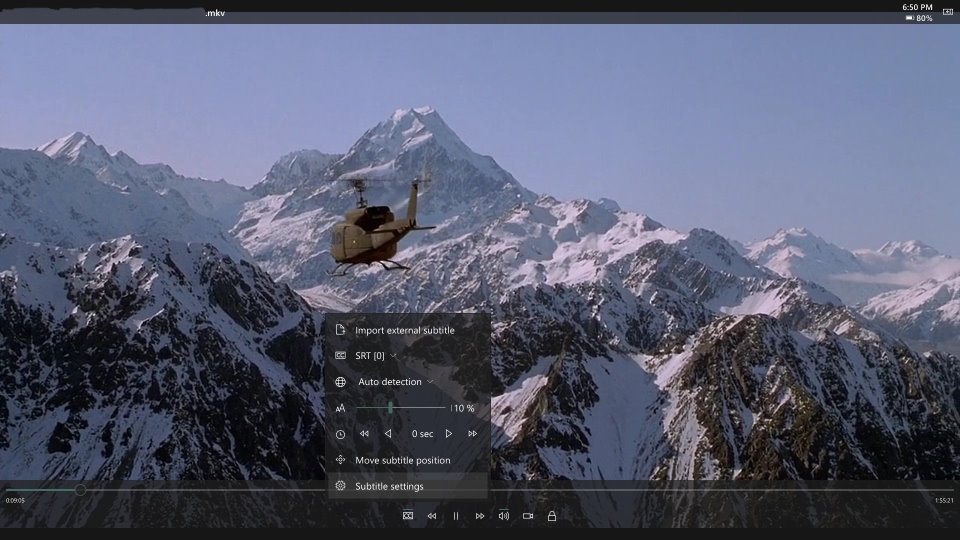
經Miracast放映一套戲, 大約佔用10Mbps左右!
作者: wild 時間: 2016-11-15 17:59
本帖最後由 wild 於 2016-11-28 08:31 編輯
PC接收Mobile手機既Miracast投射
我會先講Windows 10 Mobile手機經Miracast射向部W10 PC pc9394!
之後再講Android 手機!
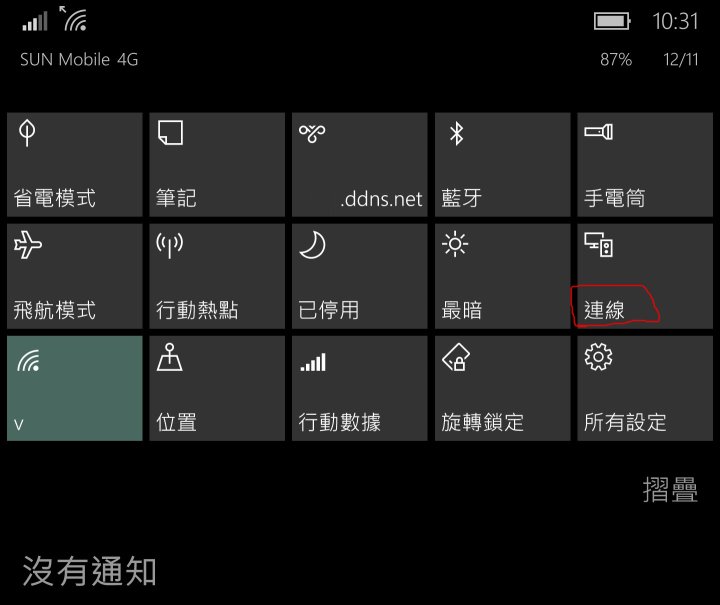
係W10 Mobile手機按連線(部W10 Mobile都係已經升左上周年更新)

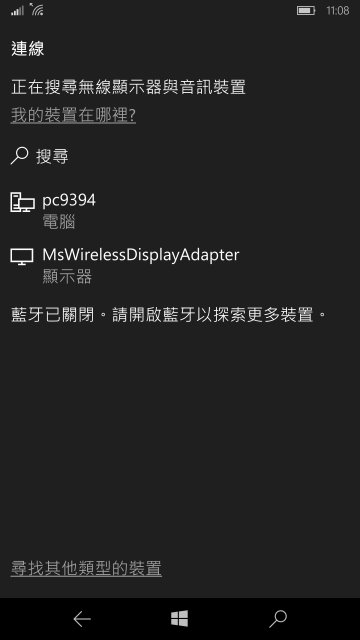
在連線搜尋畫面會顯示可以通過Miracast連接既devices.
而且係可以分別出個Device係Miracast Dongle, 還是一部PC!

選擇要接駁部PC pc9394!
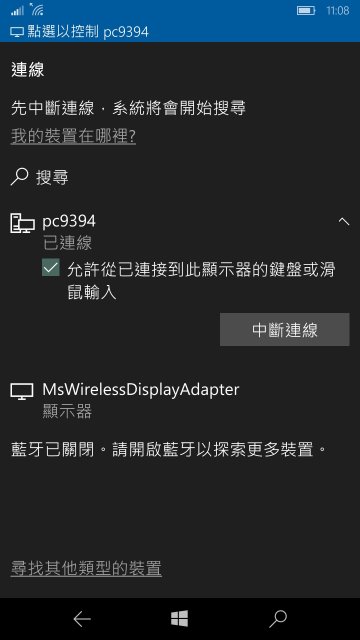
如果部W10 Mobile手機已經上了周年更新, 才會提示是否要連接埋部PC既keyboard同mouse!
這個功能係非常非常方便和好用, 就係可以係部PC睇住手機投射過來個畫面, 可以直接用PC個keyboard同mouse操作部手機! 遲D再詳細D講解操作上的靈活性!
下圖表示手機已經成功連接部PC pc9394!

PC pc9394會彈出提示是否允許投影!

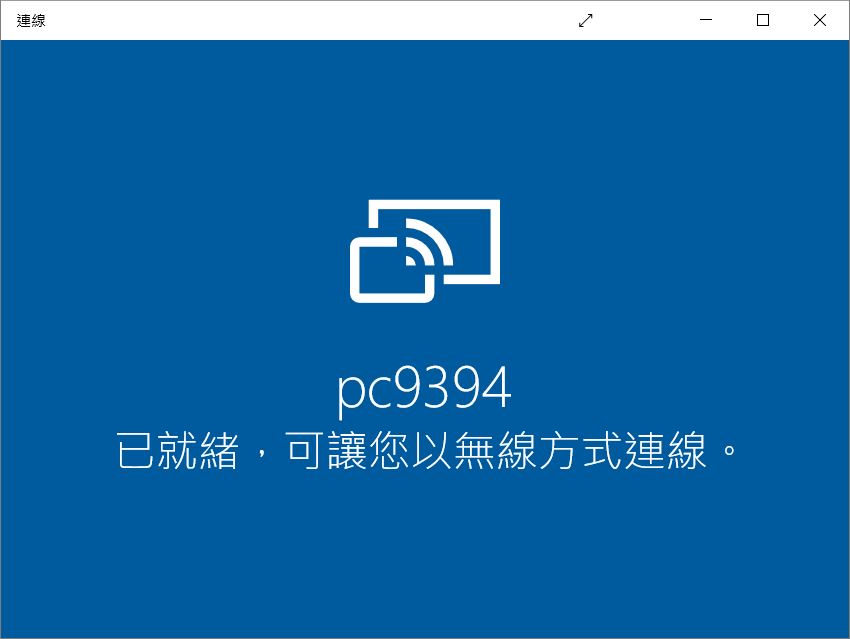
pc9394會出了一個視窗畫面表示已經準備好接收Miracast

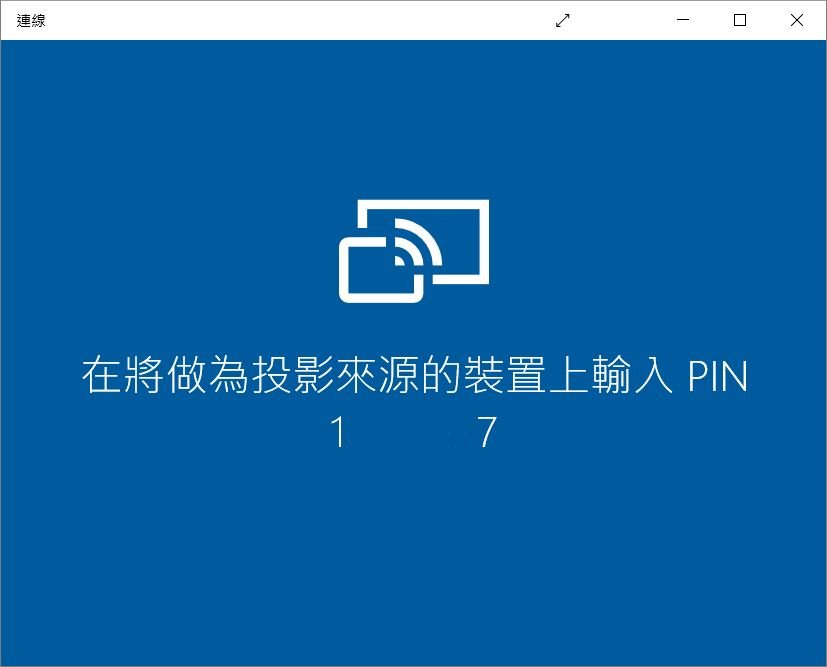
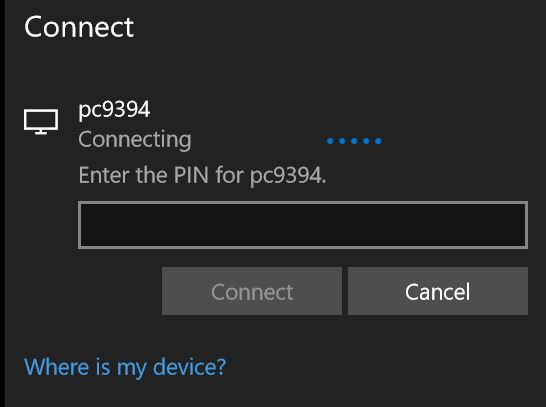
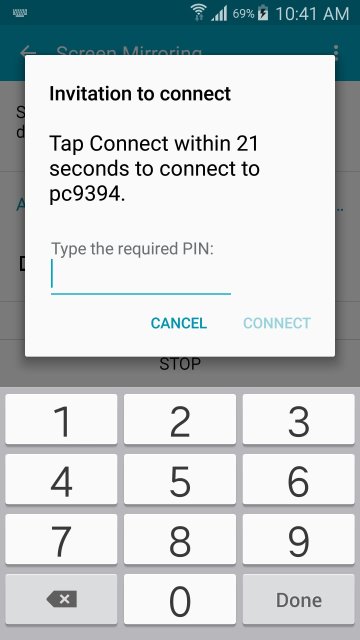
如果之前設定了用PIN做配對的話, PC會顯示作配對用的PIN, 係手機輸入番個PIN就可以.

之後部PC就會顯示手機的操作畫面係一個獨立視窗中運行!
如果之前選擇了要連接埋部PC既keyboard同mouse, 接駁住部PC既Keyboard和mouse, 都可以用來操作部手機!
個獨立視窗運行, 就好似行VM時, Mouse cursor係VM個視窗內, keyboard/mouse就係操作緊部VM.
如果Mouse cursor係VM個視窗外, keyboard/mouse就係操作緊部PC.
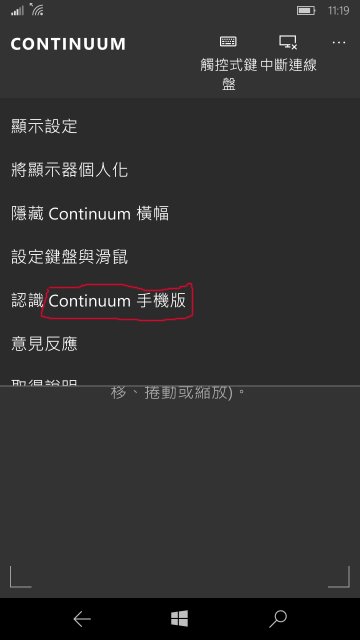
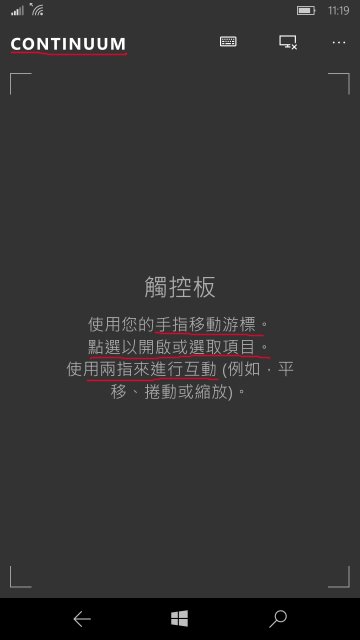
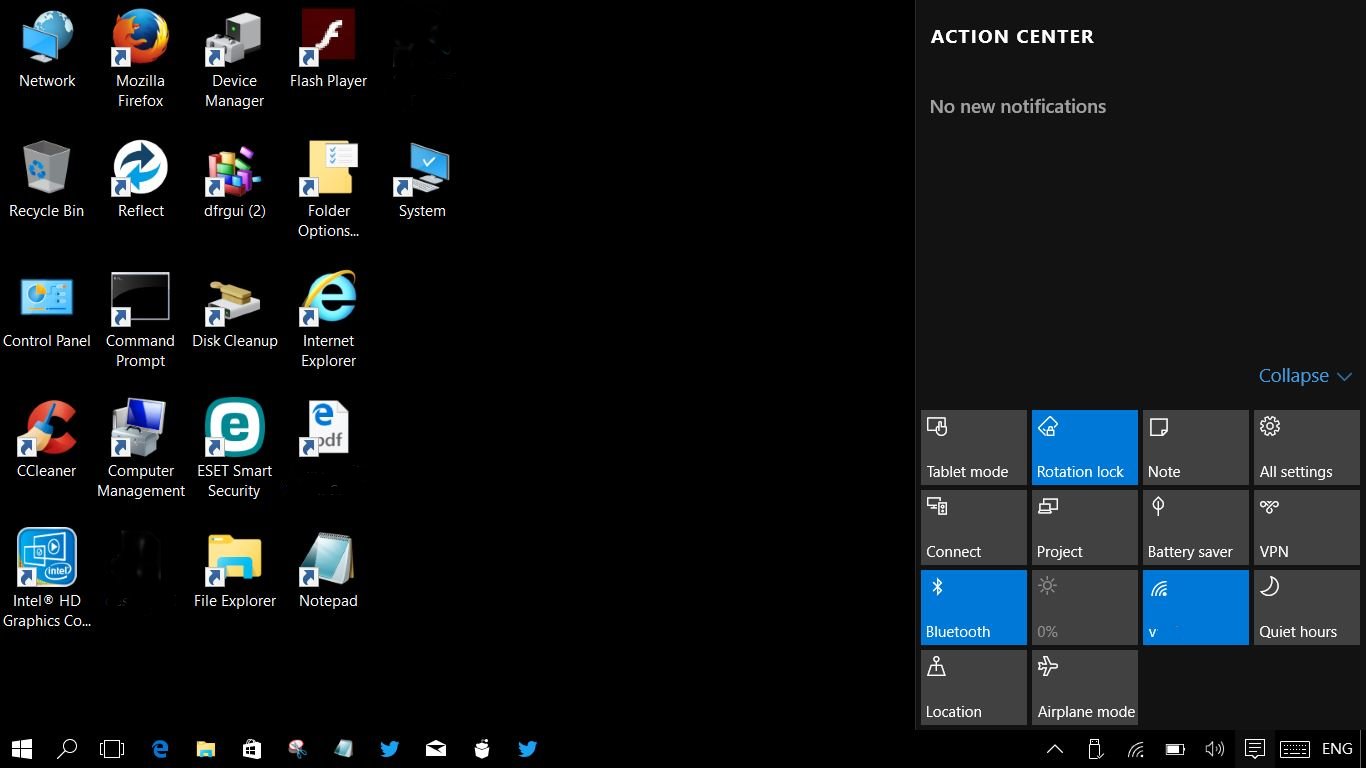
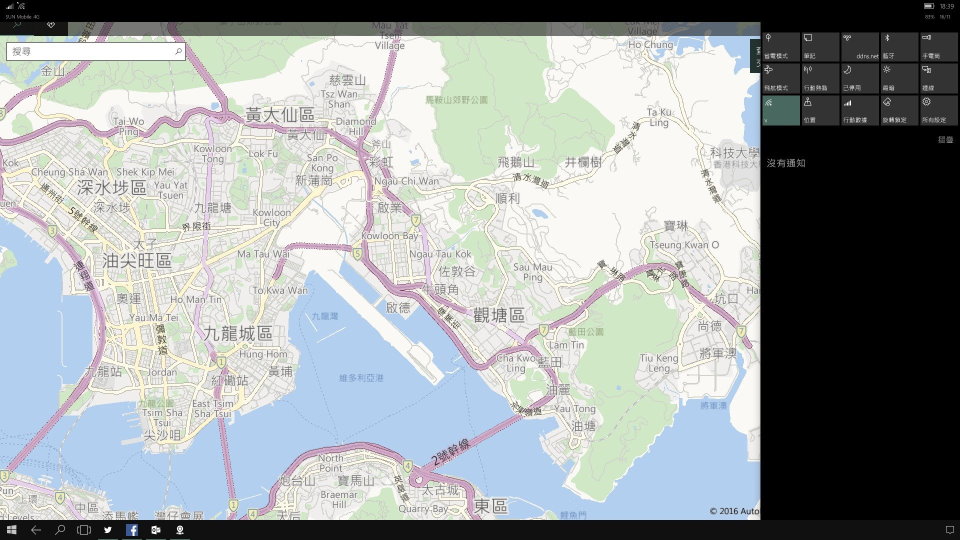
這是W10 Mobile Miracast之下的Continuum模式, 並不是一般Miracast只是同手機畫面相同的鏡像!
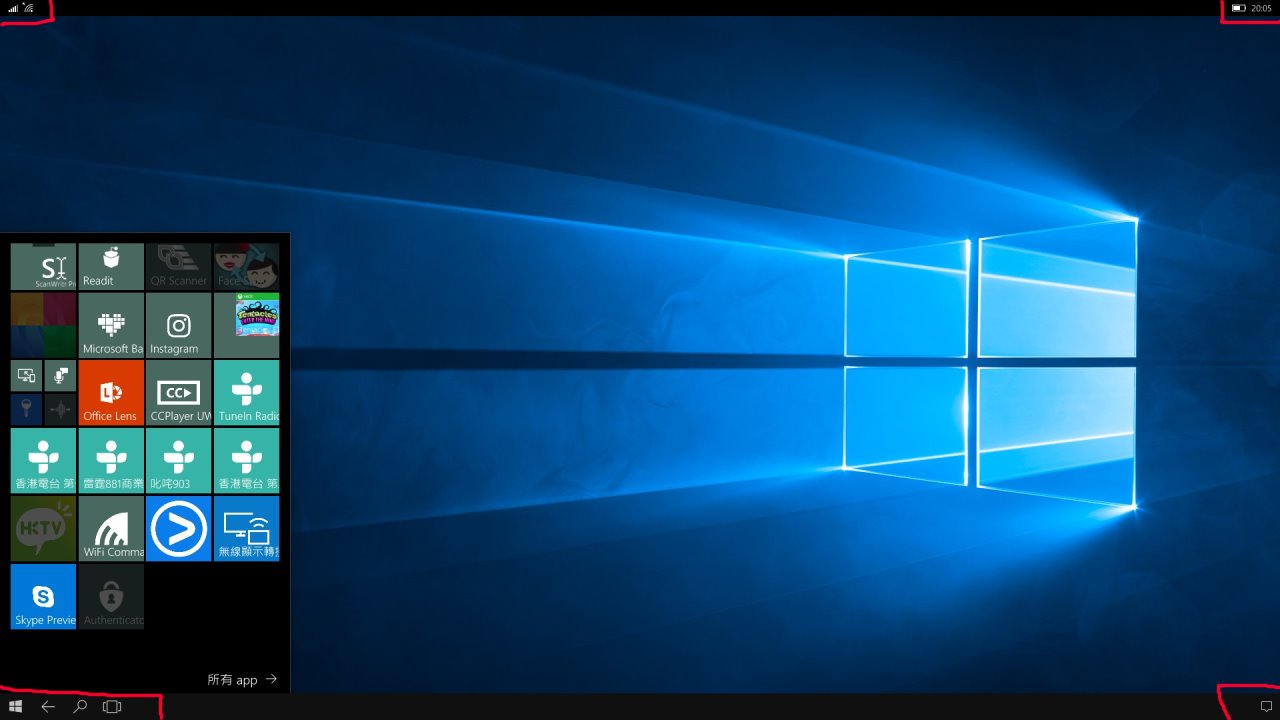
當Miracast成功接駁, 手機會轉為行緊Continuum Mode

雖然可以用PC個keyboard+mouse操作部手機, 部手機個touch screen依然可以同時操作部手機!


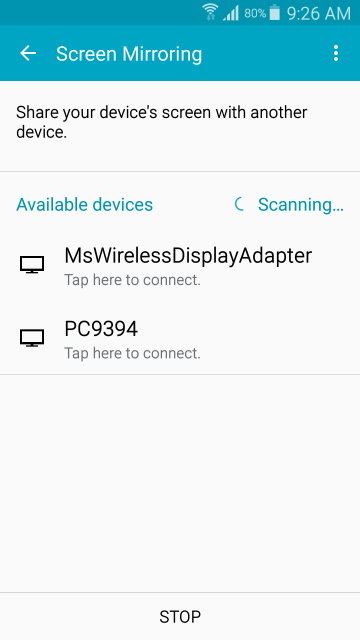
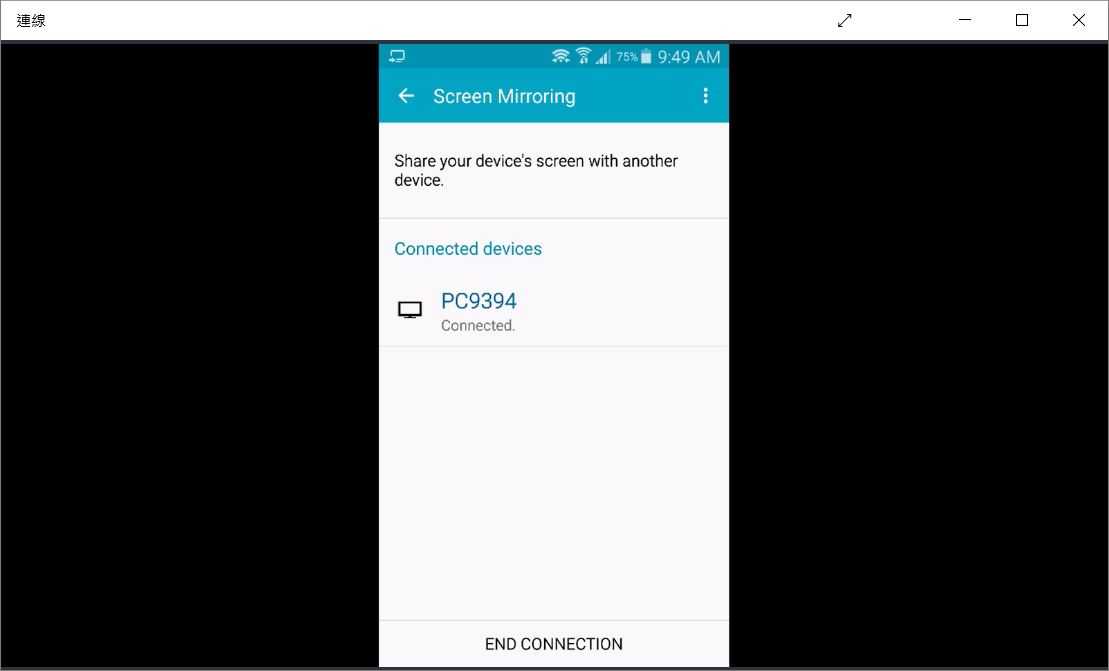
Android 手機係偵測可接駁既Miracast devices, 當然係分唔出邊D Device係PC, 一律當係miracast dongles!

輸入配對用既PIN

係PC上顯示Android手機既鏡像!

作者: wild 時間: 2016-11-15 18:00
本帖最後由 wild 於 2016-11-17 20:14 編輯
接收另一部PC既Miracast:
有部山寨平版, 行W10但就未上周年更新, 用Miracast方式投射去部pc9394.
係平版選Connect, 由於塊板未上周年更新, 所以佢係分別唔出pc9394係一部可以接收miracast的PC, 只係當pc9394係個Miracast Dongle, 只能接收Video!
所以也沒有提示是否要連接埋部pc9394既keyboard同mouse既選項.

如需要的話, 係平版輸入配置PIN

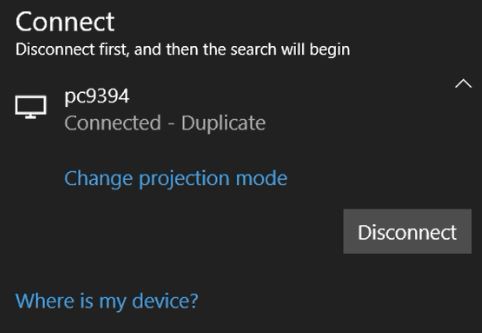
連接後, 可以改選唔同既投影模式如Duplicate, Extend等等...

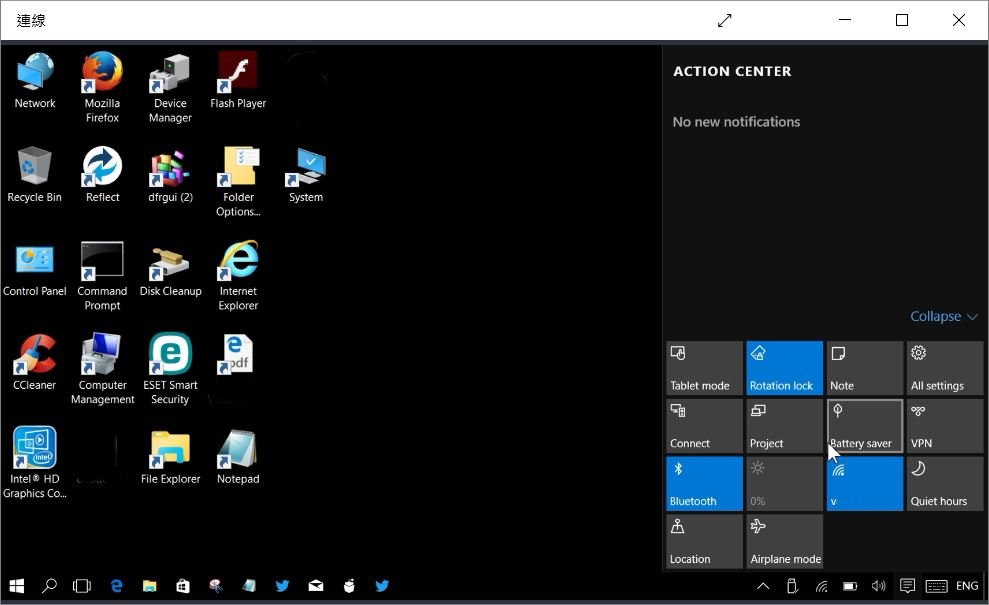
係PC 9394下, 一個獨立既視窗用來顯示塊平版既投影, 預設個視窗係以full screen運行!


作者: wild 時間: 2016-11-15 18:00
本帖最後由 wild 於 2016-11-28 08:29 編輯
PC以Miracast投射鏡像(Windows 8或以上Windows Devices)
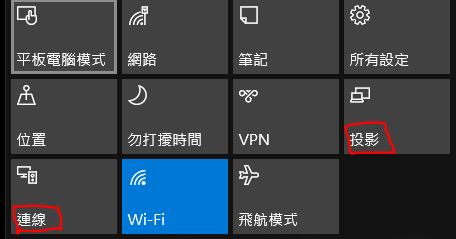
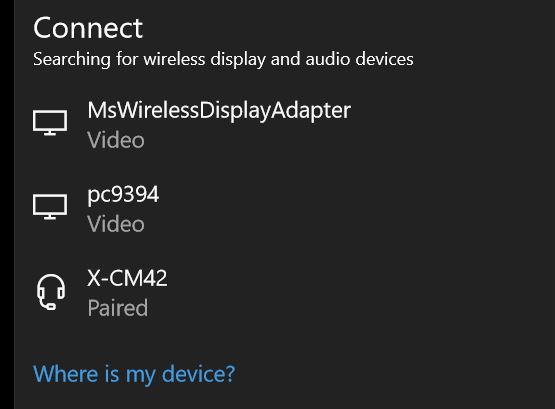
部PC先開啟Wifi功能, 選擇連線
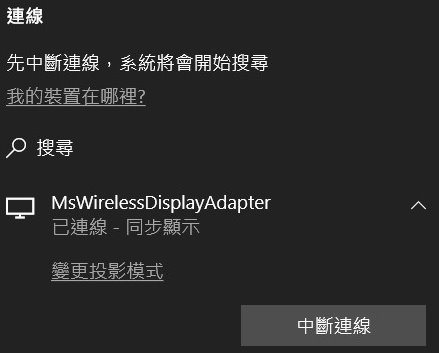
選擇要連線的device如Microsoft Wireless Display Adapter(Miracast Dongle)
連線後, 可選擇投影模式如Duplicate, Extend等等...
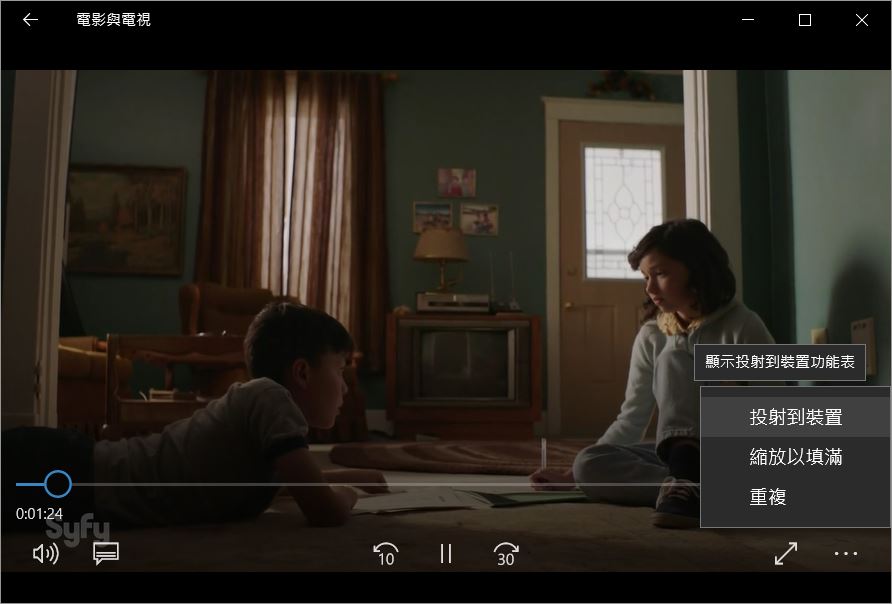
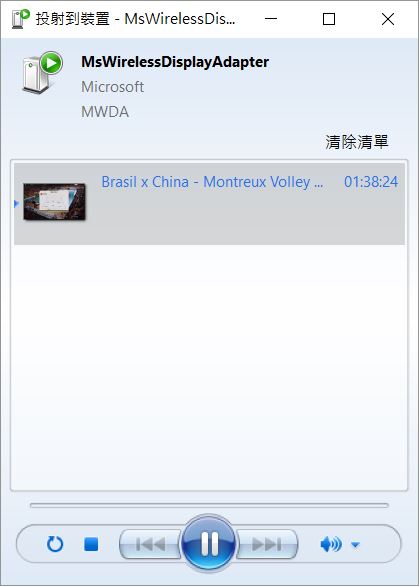
用W10個TV & Movies app, 可以再cast去之前已經接駁好既Miracast接收器
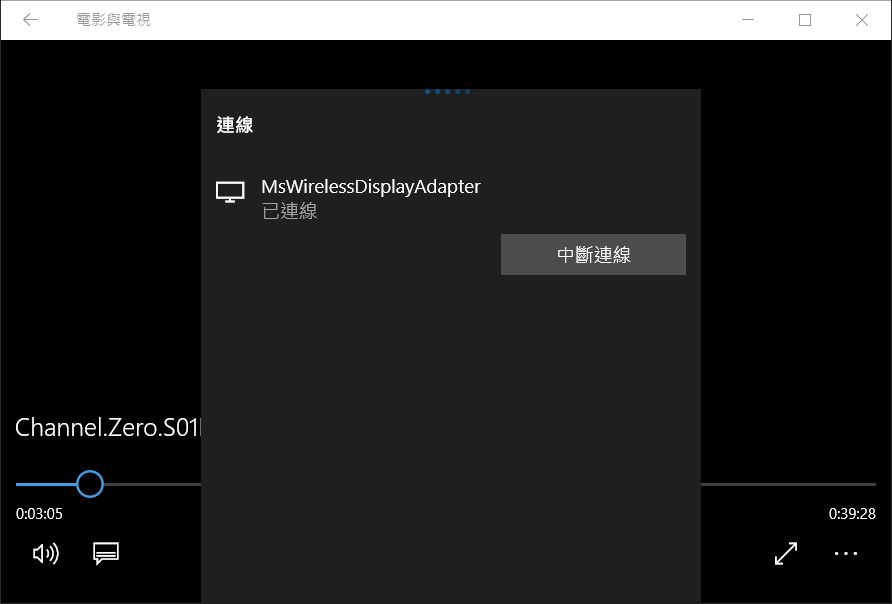
唔用app的話, 亦可以經File Explorer, Right-Click 影音既Files, 再選cast!

經File Explorer做cast, 係自動會彈個Windows Media Player來做投射!
一直都唔明個MWDA係咩野, 我估係Microsoft Wireless Display Adapter(MWDA)既意思吧!
~完~


 圖片附件: 0010.系統.jpg (2016-11-15 18:01, 42.1 KB) / 下載次數 115
https://www.hkepc.com/forum/attachment.php?aid=1938797&k=f01ef976a48921f8de54d887ef27a184&t=1781645480&sid=g6D3B9KhjL
 圖片附件: 0020.miracast not support.jpg (2016-11-15 18:01, 32.49 KB) / 下載次數 140
https://www.hkepc.com/forum/attachment.php?aid=1938798&k=146840fad16cefbeaa98032569409b53&t=1781645480&sid=g6D3B9KhjL
 圖片附件: 0030.network or not.jpg (2016-11-15 18:01, 66.44 KB) / 下載次數 182
https://www.hkepc.com/forum/attachment.php?aid=1938799&k=0d31f3633386cbdb1a2b761b780e1b80&t=1781645480&sid=g6D3B9KhjL
 圖片附件: 0310.網絡連線.type.jpg (2016-11-15 18:01, 34.13 KB) / 下載次數 116
https://www.hkepc.com/forum/attachment.php?aid=1938800&k=957ac277127684ce1238c77266b0f0fc&t=1781645480&sid=g6D3B9KhjL
 圖片附件: 0320.網絡連線.jpg (2016-11-15 18:01, 60.06 KB) / 下載次數 177
https://www.hkepc.com/forum/attachment.php?aid=1938801&k=2d0ff409065e26c85b1eaf04af5b0e62&t=1781645480&sid=g6D3B9KhjL
 圖片附件: 0410.task manager.jpg (2016-11-15 18:01, 81.86 KB) / 下載次數 153
https://www.hkepc.com/forum/attachment.php?aid=1938802&k=0769645f081612a285b074787ad48a8f&t=1781645480&sid=g6D3B9KhjL
 圖片附件: 0105.connect.jpg (2016-11-15 18:15, 37.71 KB) / 下載次數 164
https://www.hkepc.com/forum/attachment.php?aid=1938805&k=8804944a878000d8f9bf10bf3dad892e&t=1781645480&sid=g6D3B9KhjL
 圖片附件: 0110.connect.jpg (2016-11-15 18:15, 19.24 KB) / 下載次數 177
https://www.hkepc.com/forum/attachment.php?aid=1938806&k=47fefd482d8e57b9f83ccf04e7d2e7e8&t=1781645480&sid=g6D3B9KhjL
 圖片附件: 0120.connect.keyboard.mouse.jpg (2016-11-15 18:16, 27.73 KB) / 下載次數 126
https://www.hkepc.com/forum/attachment.php?aid=1938807&k=d6416b58a09915047c0704bb7cc642f5&t=1781645480&sid=g6D3B9KhjL
 圖片附件: 0130.connect.android.jpg (2016-11-15 18:16, 28.08 KB) / 下載次數 133
https://www.hkepc.com/forum/attachment.php?aid=1938808&k=9532dae1e0dfc8e79597b0ee05d792c4&t=1781645480&sid=g6D3B9KhjL
 圖片附件: 0020b.miracast detecting.jpg (2016-11-16 10:26, 54 KB) / 下載次數 114
https://www.hkepc.com/forum/attachment.php?aid=1938982&k=4987c2b606534f8cf386e4d262269983&t=1781645480&sid=g6D3B9KhjL
 圖片附件: 0204.confirm projection.jpg (2016-11-16 10:59, 16.04 KB) / 下載次數 140
https://www.hkepc.com/forum/attachment.php?aid=1938988&k=80b4ddd4dbf35fd8031cb6593a882c36&t=1781645480&sid=g6D3B9KhjL
 圖片附件: 0208.prompt for pin.jpg (2016-11-16 10:59, 46.34 KB) / 下載次數 123
https://www.hkepc.com/forum/attachment.php?aid=1938989&k=2411a48d7f31ac6dac44a97fc7a03a49&t=1781645480&sid=g6D3B9KhjL
 圖片附件: pc.continuum window.720p.jpg (2016-11-16 11:13, 72.11 KB) / 下載次數 176
https://www.hkepc.com/forum/attachment.php?aid=1938990&k=168b34f7303a1970e5de340efc0e170b&t=1781645480&sid=g6D3B9KhjL
 圖片附件: mobile phone.continuum mode.jpg (2016-11-16 11:32, 19.21 KB) / 下載次數 130
https://www.hkepc.com/forum/attachment.php?aid=1938991&k=6cdf4118de3fd3f4e7584a1d6ca203b9&t=1781645480&sid=g6D3B9KhjL
 圖片附件: mobile phone.continuum touch pad.jpg (2016-11-16 11:32, 14.98 KB) / 下載次數 131
https://www.hkepc.com/forum/attachment.php?aid=1938992&k=b086e1d153902688cdde6edd9dcf1026&t=1781645480&sid=g6D3B9KhjL
 圖片附件: ready to be connect.jpg (2016-11-16 17:46, 40.52 KB) / 下載次數 120
https://www.hkepc.com/forum/attachment.php?aid=1939061&k=27e2305a12a3236b8e44f1aae6a3e4a4&t=1781645480&sid=g6D3B9KhjL
 圖片附件: 0010.pc.to.connect.jpg (2016-11-17 20:06, 25.33 KB) / 下載次數 120
https://www.hkepc.com/forum/attachment.php?aid=1939418&k=60c396cb0d064946e42a03dacc229fce&t=1781645480&sid=g6D3B9KhjL
 圖片附件: 0020.pc.connect.key in pin no.jpg (2016-11-17 20:06, 23.68 KB) / 下載次數 120
https://www.hkepc.com/forum/attachment.php?aid=1939419&k=27d5705f2027abb89ef255c53e8fcac5&t=1781645480&sid=g6D3B9KhjL
 圖片附件: 0030.pc.connect.duplicate.jpg (2016-11-17 20:06, 20.12 KB) / 下載次數 169
https://www.hkepc.com/forum/attachment.php?aid=1939420&k=de2357faf8eae353c73c5228afbd66d3&t=1781645480&sid=g6D3B9KhjL
 圖片附件: 0040.pc.in window.jpg (2016-11-17 20:06, 75.45 KB) / 下載次數 139
https://www.hkepc.com/forum/attachment.php?aid=1939421&k=afbac2926fd27caa488e68c6fcf9c87a&t=1781645480&sid=g6D3B9KhjL
 圖片附件: 0050.pc.full screen.jpg (2016-11-17 20:06, 102.92 KB) / 下載次數 182
https://www.hkepc.com/forum/attachment.php?aid=1939422&k=8c01597ef368167ea3b6143a6fbf4b2e&t=1781645480&sid=g6D3B9KhjL
 圖片附件: continuum.input.jpg (2016-11-17 20:41, 36.01 KB) / 下載次數 212
https://www.hkepc.com/forum/attachment.php?aid=1939424&k=5c874144f534d4e7b312b0a26d568496&t=1781645480&sid=g6D3B9KhjL
 圖片附件: task bar.jpg (2016-11-17 20:41, 4.73 KB) / 下載次數 218
https://www.hkepc.com/forum/attachment.php?aid=1939425&k=08d17b3a1d9c3ccba127af39b42d8e28&t=1781645480&sid=g6D3B9KhjL
 圖片附件: continuum.maps.with.notice.540p.jpg (2016-11-17 20:44, 118.51 KB) / 下載次數 142
https://www.hkepc.com/forum/attachment.php?aid=1939426&k=e3a0ad0b106edab9b7135f3e7aef5988&t=1781645480&sid=g6D3B9KhjL
 圖片附件: continuum.ccplay.01.resize.jpg (2016-11-17 20:52, 107.54 KB) / 下載次數 132
https://www.hkepc.com/forum/attachment.php?aid=1939428&k=e43be44647f3397ae0d6b677d0a97fa2&t=1781645480&sid=g6D3B9KhjL
 圖片附件: continuum.moive.bitrate.jpg (2016-11-18 10:33, 129.05 KB) / 下載次數 150
https://www.hkepc.com/forum/attachment.php?aid=1939541&k=a9ca36238f5cbd7c7e644deb399e620e&t=1781645480&sid=g6D3B9KhjL
 圖片附件: miracast.to.pc.prompt for PIN.jpg (2016-11-28 08:29, 32.25 KB) / 下載次數 115
https://www.hkepc.com/forum/attachment.php?aid=1942052&k=e273d1506cdee15ccbe618cc0b78653d&t=1781645480&sid=g6D3B9KhjL
作者: Fanolian 時間: 2016-11-15 18:16
我部機用緊ASUS PCE-AC88 wifi adapter:
另外呢個功能係咪唔支援Android phones?佢寫Windows phones 同埋PC (我估PC 係指其他Win10)。
圖片附件: Projection.PNG (2016-11-15 18:12, 39.49 KB) / 下載次數 155https://www.hkepc.com/forum/attachment.php?aid=1938803&k=f3e2b9b947c2aa3a5d946551ff2cc7df&t=1781645480&sid=g6D3B9KhjL
作者: wild 時間: 2016-11-15 19:59
本帖最後由 wild 於 2016-11-15 20:04 編輯
我部機用緊ASUS PCE-AC88 wifi adapter:
另外呢個功能係咪唔支援Android phones?佢寫Windows phones 同 ...
Fanolian 發表於 2016-11-15 18:16

照計你個wifi adapter係超晒班! 最好係你部PC已經係用5GHz連接個Wireless Router先, 唔得再試下restart部PC!
可以參考下MS講解關於Miracast既操作: How Miracast Communicates Over Wifi Networks
我係試過Android 手機, 可以Detect到當部PC係Miracast Dongle, 可以連接, 但係出左個定鏡畫面, 之後個畫面就化晒!
因為我唔係太熟識android既操作, 最好都係比其他人去試比較好, 亦唔知是否同Android既版本有關!
有可能MS唔寫可以接駁android, 係因為唔想比android商標既licence fee!
Android phone係可以搵到部pc9394當係miracast dongle!
連接上PC9394後, 係PC9394上出現既畫面!
To do this, the adapter will use one of the three non-overlapping 2.4GHz 802.11 channels (1, 6 and 11) which in essence are the lowest common denominator and would be the most broadly available and used channels. (For this reason, if you are on a device that allows 5GHz only connections and suppresses 2.4 GHz, you cannot connect). Therefore, 2.4GHz is a requirement to negotiate a connection using Miracast.
If 2.4GHz is the only frequency supported by your router, then issues might occur due to saturated channels from nearby routers in your environment. You might try changing the channel on your router to see if conditions improve. To see all the Wireless channels nearby, open a cmd prompt and type:
netsh wlan show networks ode=BSSID [press Enter]
If you are connected to your router using a 5GHz channel, the Miracast frequency can be negotiated to use 5GHz (but remember, the negotiation initiates over 2.4 GHz).
If you are not connected to a WiFi network, the Miracast connection will always be negotiated on 2.4 GHz
圖片附件: android.screen mirroring.jpg (2016-11-15 19:59, 42.71 KB) / 下載次數 104https://www.hkepc.com/forum/attachment.php?aid=1938827&k=15e8cf8a02708e91dcf6dd19157049b2&t=1781645480&sid=g6D3B9KhjL
作者: takayo72 時間: 2016-11-15 20:48
提示: 作者被禁止或刪除 內容自動屏蔽
作者: Fanolian 時間: 2016-11-15 21:18
照計你個wifi adapter係超晒班! 最好係你部PC已經係用5GHz連接個Wireless Router先, 唔得再試下restart部 ...
wild 發表於 2016-11-15 19:59
我睇呢篇教學,佢應該係話以前Windows 只做到PC -> Miracast compatible devices。但Win10 AU 就加入咗Miracast compatible devices -> PC 嘅功能。
但呢兩個情況,(Desktop) PC 都仍然需要有支援Miracast 嘅裝置。(一般wifi adapter 唔會有;Laptop 可能多數內置支援?)
作者: wild 時間: 2016-11-15 21:27
部win10 pc 一定要用wifi連接?
wired lan唔得?
via HKEPC Reader for Android
takayo72 發表於 2016-11-15 20:48
個投影功能係用Miracast, Miracast既設計只係用wifi, 所以wired lan係唔得!
作者: wild 時間: 2016-11-15 21:31
我睇,佢應該係話以前Windows 只做到PC -> Miracast compatible devices。但Win10 AU 就加入咗Miracast c ...
Fanolian 發表於 2016-11-15 21:18
部pc9394都係用wifi adapter, 係隻外插wifi usb 手指, 仲係鷄牌子Edimax.
因為貪佢夠平, 不過隻Edimax, 5GHz接駁能力好屎, 經常係駁唔到, 但係2.4GHz就好穩定!
作者: hkocx 時間: 2016-11-18 21:16
我覺得Windows 的miracast功能似乎兼容性較為一般
部份平一些的miracast接收手指都收唔到windows的信號
作者: wild 時間: 2016-11-19 10:18
我覺得Windows 的miracast功能似乎兼容性較為一般
部份平一些的miracast接收手指都收唔到windows的信號 ...
hkocx 發表於 2016-11-18 21:16
平一些的miracast接收手指大約幾錢呀?
作者: hkocx 時間: 2016-11-19 19:23
平一些的miracast接收手指大約幾錢呀?
wild 發表於 2016-11-19 10:18
係香港買都唔駛$200
淘佬價應該大約$100
作者: hkcolorcat 時間: 2016-11-22 01:51
提示: 作者被禁止或刪除 內容自動屏蔽
作者: 01faifaifai 時間: 2016-12-3 00:44
好似所有設備經同一router出都可連線
作者: wild 時間: 2016-12-3 18:40
本帖最後由 wild 於 2016-12-4 11:58 編輯
好似所有設備經同一router出都可連線
01faifaifai 發表於 2016-12-3 00:44
其實這裡所指既連線, 是指無線經Miracast做投影既連線!
不過佢就用Connect, 連線既字眼, 容易令人誤解!
如下圖, 投影係指輸出Dual或多個顯示器, 連線是指Miracast既無線投影!
其實個無線投影功能, 係唔需要一定接駁同一Router, 只要選用<在任何地方都能使用>的話, 就無需接駁router, 部PC亦可以接收任何Devices既Miracast投射!