
作者: patklchung 時間: 2019-9-2 13:40 標題: 有更新KB4512941


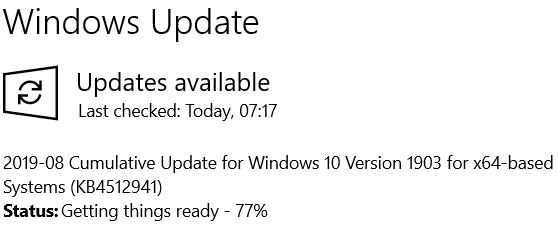
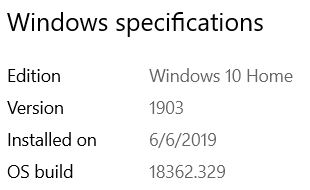
更新咗
 圖片附件: Capture.JPG (2019-9-2 13:39, 28.5 KB) / 下載次數 154
https://www.hkepc.com/forum/attachment.php?aid=2147140&k=8b7e5ac2779372c21cf0282821fb8357&t=1781545701&sid=15FK1hSH10t
 圖片附件: Capture I.JPG (2019-9-2 13:39, 17.42 KB) / 下載次數 208
https://www.hkepc.com/forum/attachment.php?aid=2147141&k=86e4f286473255bce9c4fa46f58b8e34&t=1781545701&sid=15FK1hSH10t
作者: tse111 時間: 2019-9-2 14:49
本帖最後由 tse111 於 2019-9-2 14:51 編輯
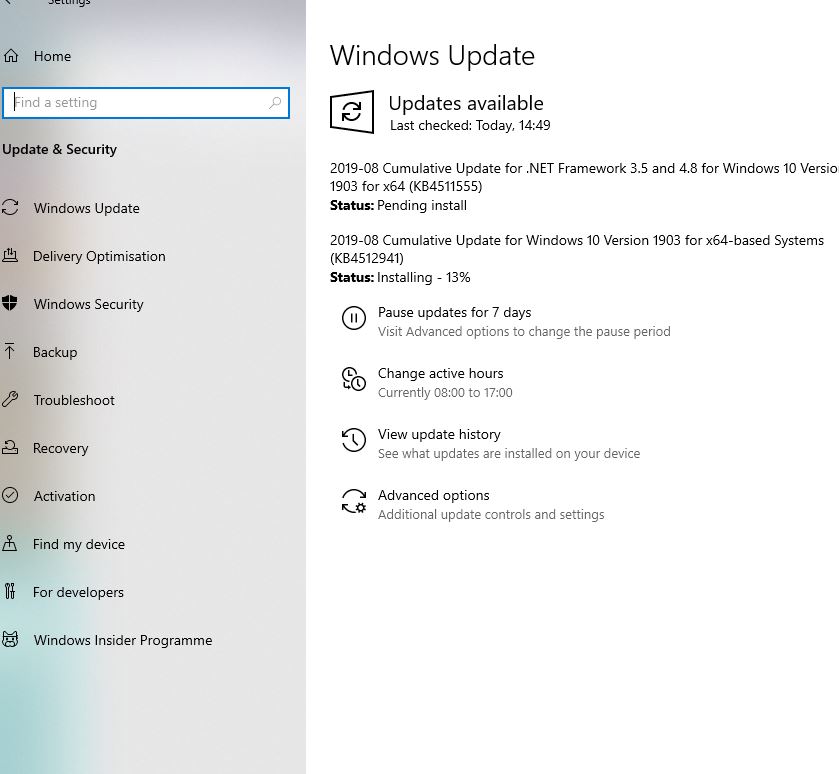
剛剛開始更新了
圖片附件: Capture.JPG (2019-9-2 14:51, 67.4 KB) / 下載次數 122https://www.hkepc.com/forum/attachment.php?aid=2147155&k=2cd8044aff657ddb1cd9057a405a1e89&t=1781545701&sid=15FK1hSH10t
作者: mib04 時間: 2019-9-2 18:39
有報告更新後有問題,參考以下:
https://borncity.com/win/2019/08 ... ugust-2019-updates/
作者: AT88 時間: 2019-9-3 12:34
我都係手癢裝左KB4512941更新, 之後電腦閒置CPU 使用率暴升至少平均40%以上, 之後上網搵到暫時解決方法. 將BingSearch setting數值設定為1, 之後要restart computer, 最後電腦閒置CPU 使用率便降到25~30%
Windows 10 KB4512941 Update Causing High CPU Usage in Cortana
https://www.bleepingcomputer.com ... u-usage-in-cortana/
https://www.ubergizmo.com/how-to/disable-bing-search-windows-10/(打開regedit去設定BingSearch數值方法)
作者: pc1668 時間: 2019-9-3 14:34
本帖最後由 pc1668 於 2019-9-3 14:36 編輯
I did the following ...
How to Permanently Stop SearchUI.exe from Running in Windows 10
https://www.trishtech.com/2016/0 ... ning-in-windows-10/
In command prompt (with admin right)
cd %windir%\SystemApps\Microsoft.Windows.Cortana_cw5n1h2txyewy
takeown /f SearchUI.exe
icacls SearchUI.exe /grant administrators:F
taskkill /f /im SearchUI.exe
rename SearchUI.exe SearchUI.exe.001
The CPU utilization is back to normal (nearly 0% when idle).
作者: pc1668 時間: 2019-9-3 14:36
我都係手癢裝左KB4512941更新, 之後電腦閒置CPU 使用率暴升至少平均40%以上, 之後上網搵到暫時解決方法. 將 ...
AT88 發表於 2019-9-3 12:34

it was just a temporary solution ...
作者: chue 時間: 2019-9-3 17:50
更新完要加班已成新常態
作者: toylet 時間: 2019-9-4 01:14
提示: 作者被禁止或刪除 內容自動屏蔽
作者: toylet 時間: 2019-9-4 01:15
提示: 作者被禁止或刪除 內容自動屏蔽
作者: pc1668 時間: 2019-9-5 13:20
本帖最後由 pc1668 於 2019-9-5 15:30 編輯
Related:
更新要小心 部分 Windows 10 用家反映一更新檔導致系統變慢
toylet 發表於 2019-9-4 01:15
as mentioned, 5# is a permanent fix
https://www.hkepc.com/forum/redi ... 64&pid=38733477
or just skip this update !
作者: AT88 時間: 2019-9-7 10:44
本帖最後由 AT88 於 2019-9-7 10:45 編輯
此更新中的已知問題2019 年 8 月 30 日 — KB4512941 (作業系統組建 18362.329)
徵狀:
Microsoft 收到回報,指出少數使用者可能無法在使用 Windows Desktop Search 時收到結果,並且可能從 SearchUI.exe 看到高 CPU 使用量。 這個問題只會發生在已停用使用 Windows Desktop Search 搜尋網路的裝置上。
因應措施:我們正在研究解決方案,預計會在 9 月中旬推出。
https://support.microsoft.com/zh ... 10-update-kb4512941
作者: Once 時間: 2019-9-8 16:27
前幾日發現有呢個kb, 即時停windows update 七日

作者: AT88 時間: 2019-9-11 08:47
本帖最後由 AT88 於 2019-9-11 09:47 編輯
Microsoft 剛剛推出左新patch KB4515384 去修復之前用家裝左KB4512941 出現high cpu usage既問題, 我裝完KB4515384後, CPU係閒置時使用率降回單位數字%, 大概8%
September 10, 2019—KB4515384 (OS Build 18362.356)
Improvements and fixes
This security update includes quality improvements. Key changes include:
Provides protections against a new subclass of speculative execution side-channel vulnerabilities, known as Microarchitectural Data Sampling, for 32-Bit (x86) versions of Windows (CVE-2019-11091, CVE-2018-12126, CVE-2018-12127, CVE-2018-12130). Use the registry settings as described in the Windows Client and Windows Server articles. (These registry settings are enabled by default for Windows Client OS editions and Windows Server OS editions.)
Addresses an issue that causes high CPU usage from SearchUI.exe for a small number of users. This issue only occurs on devices that have disabled searching the web using Windows Desktop Search.
Security updates to Microsoft Edge, Internet Explorer, Microsoft Scripting Engine, Windows App Platform and Frameworks, Windows Input and Composition, Windows Media, Windows Fundamentals, Windows Authentication, Windows Cryptography, Windows Datacenter Networking, Windows Storage and Filesystems, Windows Wireless Networking, the Microsoft JET Database Engine, Windows Kernel, Windows Virtualization, and Windows Server.
https://support.microsoft.com/zh ... 10-update-kb4515384